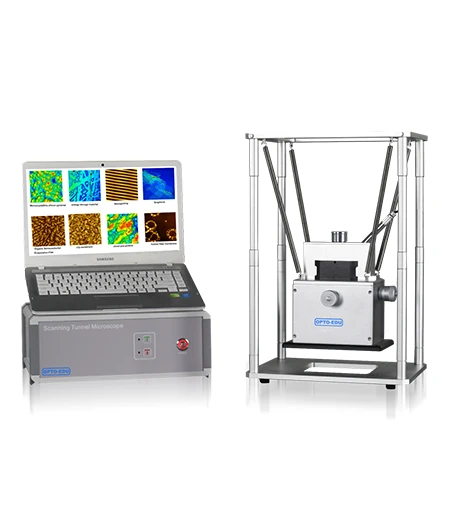
Review the setup that operators will learn
The description integrates the laser-detection head and sample-scanning stage. It also describes probe positioning, laser-spot alignment, and a sample approach along a single axis. Ask which steps are manual, which use motorized control, and which controls are available to the instructor and student.
Optical positioning of the probe and sample scanning area is another listed feature. Request a description of the optical view and how it relates to the scanned area. If several students share the system, explain how they need to see the setup and resulting images.
The page describes spring-suspension isolation and a shielded enclosure with temperature and humidity monitoring. Ask what parts of this arrangement are supplied and what bench, space, and environmental conditions the proposed system requires.
Published configuration information
| Item | Published information |
|---|---|
| Model | A62.4500 |
| Directory designation | Teaching Level Atomic Force Microscope |
| Imaging mode listed | Tapping mode |
| Optical objective listed | 4x |
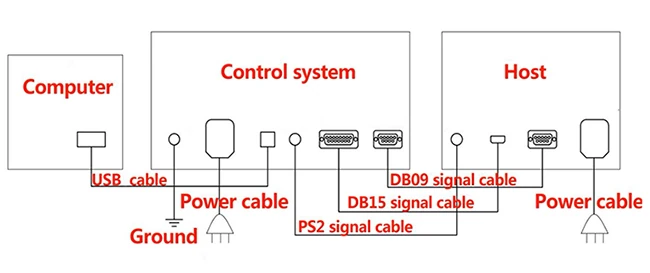
| System layout | Separate controller and main body; compact detachable design |
| Positioning | Optical positioning and probe/sample approach described |
| Environmental arrangement | Spring suspension and shielded enclosure described |
Request the current scan range, supported probes, sample limits, software, and supplied enclosure items for the offered configuration.
Define the teaching task before the package
Start with the specimens and the operations to be taught. Describe the material, sample dimensions, preparation method, and whether students will change probes or only observe a prepared setup. Ask which sample holders and probe types are needed for that plan.
Next, identify the record outputs. Do you need live display, saved images, height data, or files for another analysis program? Request the supplied software functions and file formats as part of the configuration review. If a computer is needed, ask for its specification and connections separately.
For procurement, list the main body, controller, scanner, probes, holders, software, isolation arrangement, and any teaching accessories as individual items. Request setup documentation and the available training scope, and include quantity and destination for the commercial offer.
Review the model in context
Review the atomic force microscope category and the A62.4501 basic-level listing. Compare the supplied modes, scanner, probes, and operator setup rather than relying only on the level names.
A62.4500 questions
Which imaging mode is listed?
The source lists tapping mode for A62.4500. If your teaching plan requires another mode, identify it in the inquiry and ask whether it is available for the proposed configuration.
What scan-range specification is confirmed here?
The reviewed text does not provide a complete scan-range table. Request the current XY and Z ranges, scanner configuration, sample limits, and probe requirements before selecting specimens or planning an exercise.
What should be included in a teaching quotation?
Ask for the main unit, controller, scanner, probes, sample holders, software, and environmental accessories. Include the intended student operations and required outputs so the package can be discussed against the actual teaching task.
Discuss the A62.4500 configuration
Send the model number and the specification requirements for your project. Ask OPTOEDU for an itemized configuration.
Reference: published A62.4500 product description.