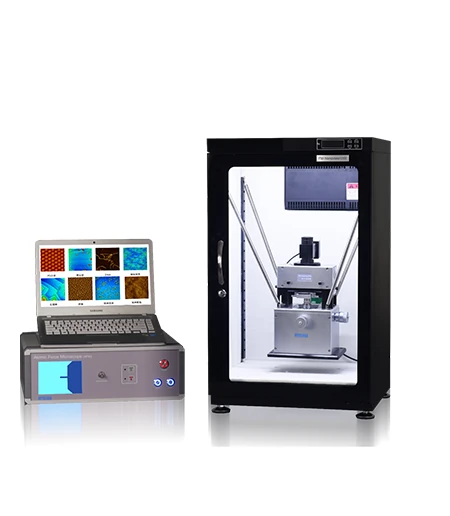
Select the mode and the sample arrangement
Contact and tapping are the listed modes. Friction, phase, magnetic, and electrostatic modes are identified as optional. Ask which modes are included with the proposed system and which additional probes, accessories, or software functions are required for an option.
The description brings the laser-detection head and sample-scanning stage together and discusses probe positioning and automatic sample approach. Request the operating procedure and the controls used when changing a sample or probe.
A shielded enclosure, spring-suspension arrangement, and temperature and humidity monitoring are also described. Ask which items form part of the offer, what bench conditions are needed, and how the environmental readings are displayed or recorded.
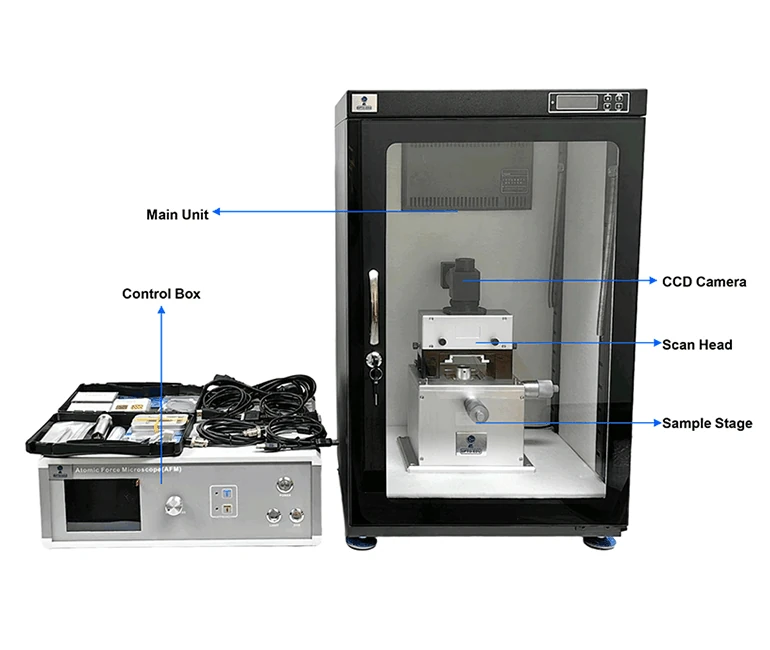
Published configuration information
| Item | Published specification or configuration |
|---|---|
| Standard modes listed | Contact; tapping |
| XY scan range | 20×20µm |
| Z scan range | 2.5µm |
| Sample limits | Diameter below 90mm; height below 20mm |
| Stage movement | 15×15mm |
| Optical objective | APO 4x |
| Scan speed | 0.6–30Hz |
| Scan angle | 0–360° |
| Connection | USB 3.0 listed |
| Optional modes | Friction; phase; magnetic; electrostatic |
Ask for the configuration-specific scanner, probe, and software details alongside these published fields.
Prepare a specimen and data checklist
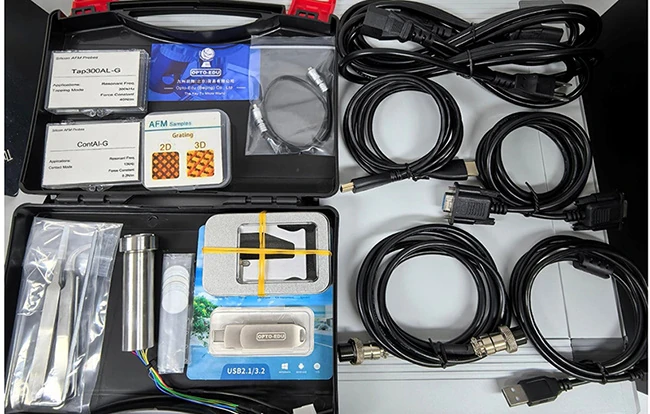
Describe the material, surface preparation, dimensions, and any restrictions on mounting. Identify the region to be scanned and the mode required by your procedure. Ask which probes and holders are suitable for review with that specimen rather than selecting them only from a general accessory photograph.
For data handling, state whether the work needs images, height records, or exports for another analysis environment. Request the current software version, supported file formats, computer requirements, and license terms. The operating-system list in a source page should be checked against the current supplied software.
Request an itemized offer for the main unit, controller, scanner, probes, holders, software, computer if needed, enclosure, and accessories. Include your destination and quantity, and identify any evaluation documents required before purchasing.
Review the model in context
Browse the atomic force microscope category and review A62.4503 for another AFM listing. Ask for each model’s current specification sheet to compare the scanner, modes, and supplied accessories.
A62.4501 questions
Which modes are included in the published feature list?
Contact and tapping are listed, while friction, phase, magnetic, and electrostatic modes are marked optional. Ask for the modes supplied with the offer and any extra probe or accessory requirements.
What sample limits are published?
The source lists a sample diameter below 90mm and height below 20mm. Provide the actual specimen dimensions and mounting method so the usable setup and scanning area can be discussed.
What software information should I request?
Ask for the current version, supported modes, image and data exports, operating-system requirements, and license terms. Include the computer and connection items on the quotation if they are needed for the proposed package.
Discuss the A62.4501 configuration
Send the model number and the specification requirements for your project. Ask OPTOEDU for an itemized configuration.
Reference: published A62.4501 product description.