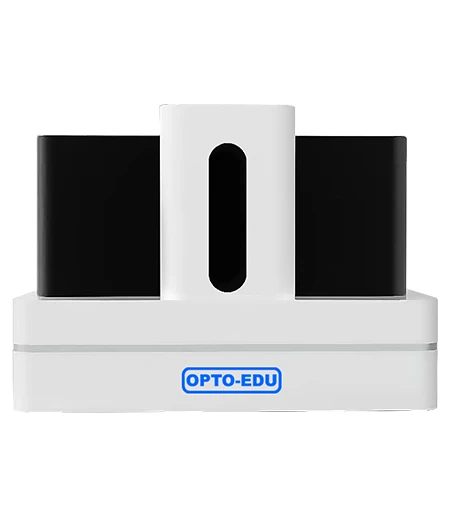
Separate loader capacity from throughput
Keep loading capacity and elapsed batch time in different fields. Ask how the stated capacity is defined, which holders or racks it assumes, and whether the offered arrangement supports the loading sequence you need. Do not translate the number of available positions into a daily output estimate.
For a throughput discussion, define the start and finish points. Does timing begin when an operator starts loading, when the scanner begins imaging or after a preview? Does it end when image capture finishes, when files are saved or when the next user can open them? Request a result using an agreed boundary.
If a batch must be available for review before a particular time, state that requirement and the expected slide mix. Ask the supplier to propose a demonstration under those conditions. A measured result from that trial should retain its test conditions instead of becoming an unrestricted statement about every future batch.
Distinguish a routine batch from an occasional peak in your written request. Give the supplier both scenarios and ask which assumptions its proposal uses. You do not need to invent a daily output target to begin the discussion; an honest description of the workload is a better starting point than a borrowed production figure.
Specify slide and scan conditions
Describe the physical slides, labels and cover slips you intend to use. Provide the information needed to check the holder and identify any unusual preparation. Ask the supplier to state the permitted specimen arrangement for the proposed system rather than assuming a catalog photograph covers it.
Agree on the area to scan and the imaging configuration to demonstrate. Record the objective, requested image output and focus approach beside the timing result. If different sample types need different settings, request separate results instead of one blended figure.
| Comparison field | What to define for an RFQ |
|---|---|
| Loading capacity | Holder arrangement and stated slide positions |
| Sample set | Slide format, preparation and representative variation |
| Scan conditions | Area, objective and requested image output |
| Timing boundary | Starting event and completed deliverable |
| Review | Focus checks, rescan handling and reviewer |
| File handoff | Format, destination and successful opening check |
Use the same worksheet for every candidate. This is a way to organize questions, not a universal test protocol.
Include focus, loading and rescan work
Ask which steps require an operator: preparing the holder, checking the label, reviewing the preview, choosing an area, setting focus information or restarting a slide. Request a demonstration of the offered workflow, including the way an operator recognizes a problem and decides what to do next.
Independent technical material for the Leica Aperio GT 450 DX describes scan-area and focus-point choices alongside optional functions. That example supports keeping these questions separate; it does not establish that another scanner includes those functions or has equivalent performance.
For your own trial, record rescans and manual interventions with the conditions that led to them. Ask whether the timing result includes that work. If urgent slides must enter an existing batch, describe the sequence you need and ask how the proposed configuration handles it. Keep the response tied to the quoted model.
Ask the supplier to show the messages an operator sees when a slide requires attention. Include the expected response, the way the event is recorded and the point at which the batch can continue. Treat those as demonstration questions. Do not replace the unanswered steps with an assumption that the system always proceeds unattended.
List files, storage and handoff
Specify where the completed images need to go and who needs to open them. Ask for the output formats, viewer requirements and information retained in the file. If a downstream system is already in use, identify it and request sample files for your team to test.
Keep compatibility as a question until that check is complete. A shared file extension is a useful starting point, but ask the receiving-system owner to confirm the actual handoff with the supplied files. Do not infer integration with a laboratory system or an analysis platform from a broad product statement.
Include the computer, storage destination and network arrangement in your configuration discussion. Ask who supplies each item and which requirements apply. For batch timing, state whether transfer and successful file opening are part of the agreed endpoint. Record those choices beside the scan settings so a later comparison uses the same definition of completion.
Compare model-specific published capacity
The published M30.5832 description identifies a two-slide brightfield scanning arrangement. The M30.5840 description lists a 200-slide scanner with a standard objective and an optional objective choice. Confirm the holder, optics, software and supplied components for the offer you receive. These published descriptions do not provide a measured result for your sample set.
You can also review the M30.5815 model page when preparing a shortlist. Request its current loading arrangement and proposed scanning configuration as specific fields rather than inferring them from another M30 listing.
Keep your shortlist focused on microscope slides and the required scanning task. If a proposal includes another type of imaging equipment, ask the supplier to explain its role separately. Do not treat items grouped near the M30 range as interchangeable options. Check the individual model description before requesting the next comparison.
Run a representative acceptance trial
Propose a sample set that reflects the variation your team expects to handle. Agree on the slide identification, scan area, optics, focus approach, required files and timing boundary. Ask the supplier to document the actual configuration used, including any changes made during the trial.
Have the responsible technical team define what it will inspect in the images and how it will record an acceptable result. Keep image review, equipment procurement and any clinical validation as separate decisions. This guide does not provide medical advice or authorize a diagnostic workflow.
After the trial, compare the result with the written request. Note missing files, unanswered configuration questions and any conditions that differed from the plan. Ask for clarification before treating the demonstration as representative of the offered system. Your final comparison should show both the stated loading capacity and the measured outcome under the agreed conditions.
FAQ
Does a larger stated slide capacity mean a faster scanner?
It does not establish that conclusion. Request a throughput result with the sample set, scan settings and timing boundary stated. Compare that result separately from the number of loading positions. Ask whether operator interventions, rescans and file transfer are included in the measurement.
Can I use a published speed for my own workload estimate?
First ask for its test conditions and compare them with your proposed workload. If those conditions differ, request a representative demonstration or a clearly qualified estimate. Do not present a result for another sample set as a confirmed output for your laboratory.
Is file-format support the same as system integration?
Treat them as separate checks. Request sample output files and ask the owner of the receiving system to test the required workflow. Confirm any software, licenses or configuration work needed for the proposed handoff instead of assuming it is included.
Next step
Send OPTOEDU your scanning requirements, model candidates, quantity and destination. Include the slide format, proposed batch, scan conditions and files you need to receive. Ask for the configuration and unanswered items in writing.
Sources and further reading
- Customer product evidence: published M30.5832 description.
- Customer product evidence: published M30.5840 description.
- Independent technical background: Leica Biosystems slide-scanner overview. Its capabilities and regulatory statements do not apply to OPTOEDU models.