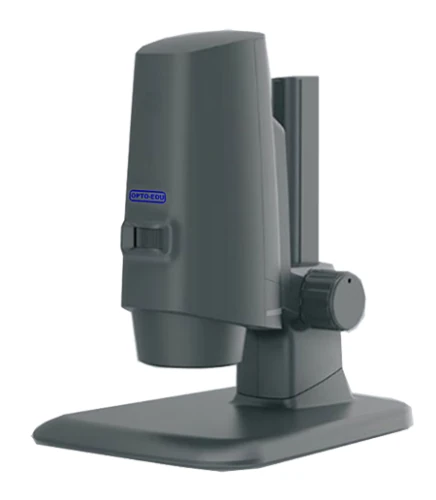
Review the imaging and measurement workflow
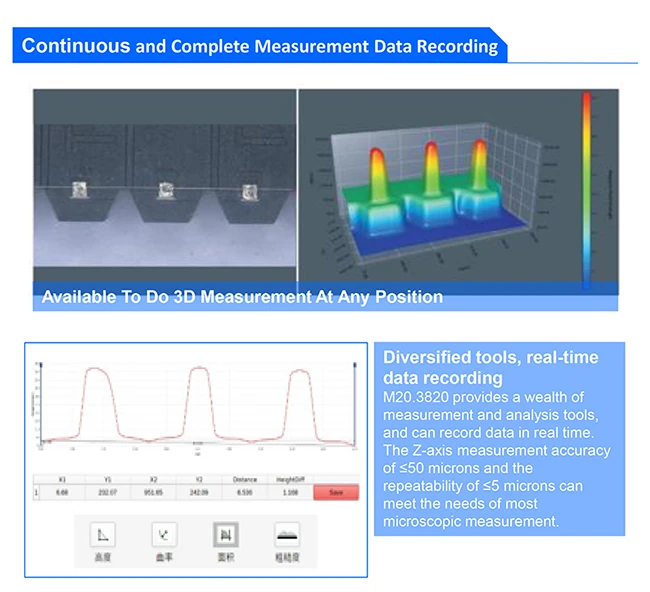
The source describes EDF imaging as a way to bring points at different heights into one image. It also discusses a motorized Z-axis stage and 3D modeling. If your sample has several surface levels, explain which features need to appear together and which records must be saved. Ask how the supplied system captures and processes the image sequence for that task.
The published description includes real-time data recording, measurement and analysis tools, and a wide dynamic range mode that combines image data at different brightness levels. These are functions to review with the proposed software. They should not be read as a promise that every reflective surface or measurement problem will be resolved.
A standard C-mount connection is described for use with biological, metallurgical, and stereo microscopes. Name the exact microscope and camera port if you intend to combine this system with existing equipment. Request the adapter and optical configuration in writing; a general connection type does not confirm compatibility with every instrument.
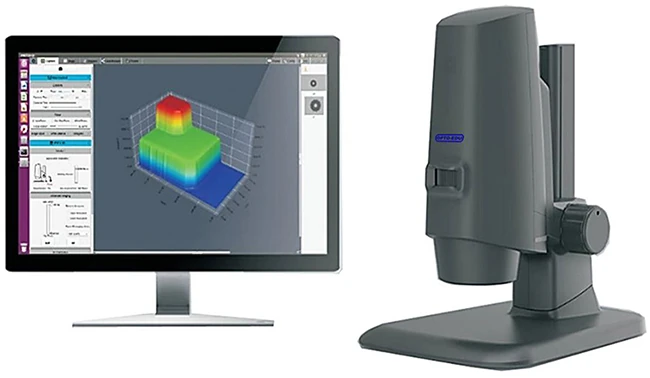
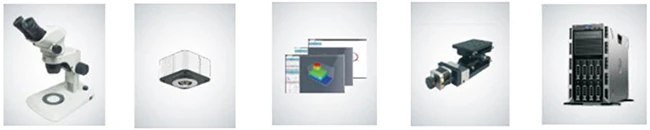
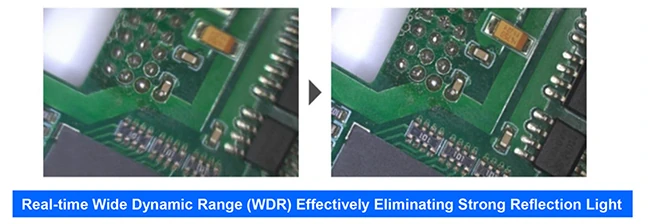
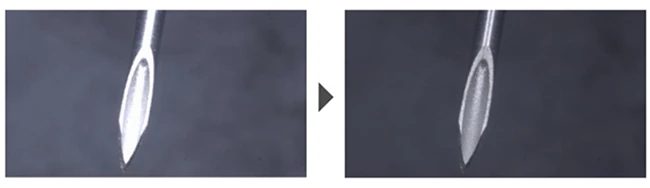
Published M20.3820 functions
| Item | Published description |
|---|---|
| Imaging functions | EDF, autofocus, 3D modeling |
| Measurement functions | 3D and 2D measurement; 2D batch measurement described |
| Controls | Mouse and keyboard under HDMI interface |
| Movement | Motorized Z-axis stage |
| Camera | Dynamic color camera described |
| Microscope connection | Standard C-mount |
| Image adjustment | Wide dynamic range mode described |
Ask which controller, computing components, display, and microscope body are supplied. Confirm how the offered arrangement supports your chosen workflow before ordering.
Make the equipment scope explicit
The source discusses direct HDMI operation and also names computing and software components as part of an integrated system. Ask OPTOEDU to distinguish the processing hardware included with the instrument from any external computer you might need. Keep the monitor, mouse, keyboard, cables, and microscope body visible in the proposed equipment list.
Describe the specimen height, surface finish, and required measurement records. If you plan to use EDF, state whether your priority is a focused observation image, a 3D surface view, or a numerical result. Request the applicable software functions and any acceptance procedure your organization needs.
Send your current microscope details if reuse is part of the project. Include the destination and quantity when asking for current price, availability, and shipping terms. Product examples illustrate functions; they do not replace a review of your sample or setup.
Compare the industrial imaging options
Browse industrial microscopes for the model listings. For a separately described system with a telecentric zoom arrangement and published stage fields, review M20.0910 3D Measurement Microscope. Compare the complete hardware and software scope, not just the shared use of 3D terminology.
M20.3820 questions
Does the HDMI description mean every accessory is included?
No component list should be inferred from the interface description. Ask which processing unit, display, input devices, software, cables, and microscope components are actually quoted, and how they connect in the proposed configuration.
What should I provide for an existing microscope connection?
Send the instrument model, camera port, and available adapter details. The source names a standard C-mount arrangement, but the exact optical and mechanical combination still needs to be checked for your equipment.
Does an EDF image establish measurement performance?
An EDF view and a numerical measurement are different outputs to specify. Describe the features and acceptance requirements for your work, then ask which tools and procedures support the result you need.
Ask about M20.3820
Send the sample and intended microscope arrangement. Request an M20.3820 configuration quote.
Reference: published M20.3820 product description.