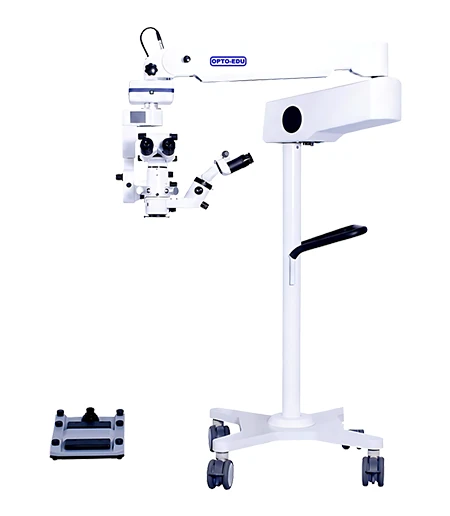
Review viewing, positioning, and foot controls
The feature list gives a motorized continuous-zoom range and a tilting dual-head arrangement. Ask for the eyepieces, working-distance options, observer arrangement, and any camera configuration needed by the intended users.
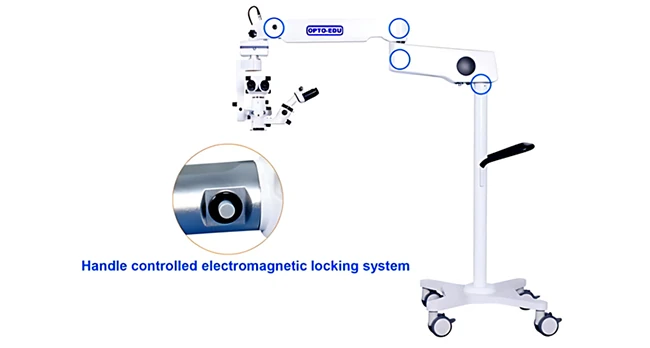
The electromagnetic-lock section describes releasing the joints through a handle control, moving the head, and locking the joints when the control is released. Ask for the supported movement and balance setup in the proposed configuration, together with the installation and space requirements.
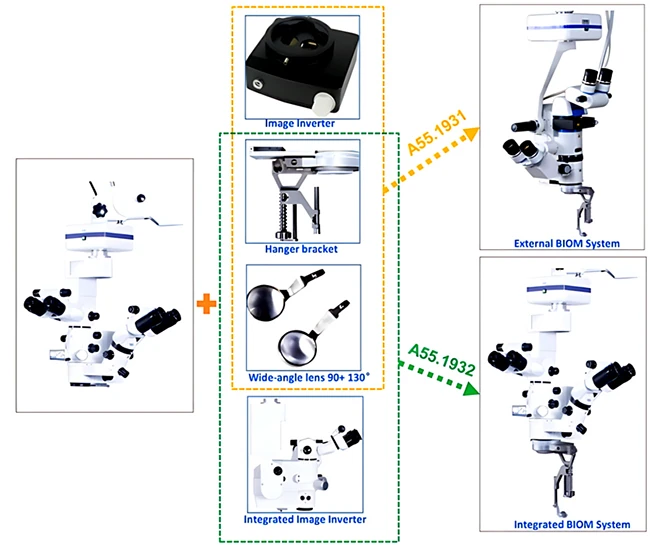
The foot-switch description lists focus, zoom, X/Y movement, brightness, and image-related controls among its functions. Specify which controls your team needs to evaluate and ask how the offered switch is configured. The BIOM kit is marked optional; have any selected viewing-system option identified separately from the base microscope.
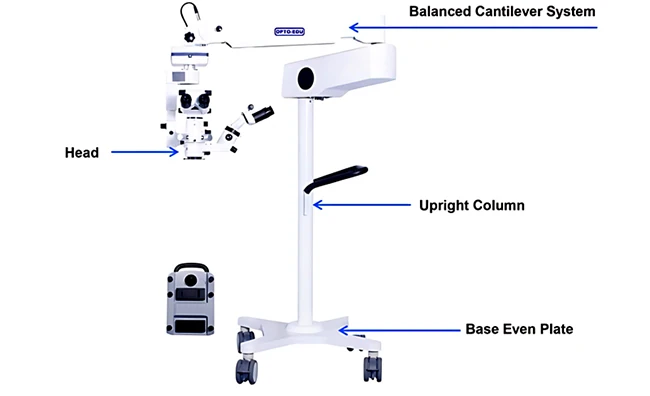
Published configuration information
| Item | Published specification or configuration |
|---|---|
| Model | A41.1935 |
| Listed field | Ophthalmology operating microscope |
| Motorized continuous zoom | 4.5x–27.3x |
| Head arrangement | Dual head; 0–200° tilt listed |
| Positioning | Electromagnetic locking system described |
| Foot-switch designation | 14-function foot switch |
| Listed control areas | Focus, zoom, X/Y movement, brightness, image functions |
| Illumination type | Dual coaxial LED listed |
| Viewing-system option | BIOM kit marked optional |
Request the current model-specific optical, installation, accessory, and market documentation for the offered configuration.
Make the ophthalmic configuration explicit
Identify the intended ophthalmic setting and the users who need to observe. Ask for the working distance, head and eyepiece arrangement, positioning range, and illumination controls. Include any camera or image-recording requirement as a separate item for review.
For an optional viewing kit, specify the system your clinical team wants to evaluate and ask about the supplied components and compatibility. Keep the base microscope and optional kit separate on the quotation so both can be checked by the responsible team.
Request the installation requirements, current instructions, cleaning information, and relevant product and market documentation. Ask for an itemized equipment list covering optics, stand, controls, illumination, accessories, and any imaging components. Include destination and quantity when requesting commercial terms.
Review the model in context
Use the ophthalmic operating microscope category to review this model’s scope. For a separate fluorescence-imaging instrument listing, see A16.1095; it is a different equipment category, not an ophthalmic substitute.
A41.1935 questions
Is the BIOM kit included in the base configuration?
The source marks the BIOM kit as optional. Ask whether the proposed offer includes it, which components are supplied, and how the selected option is configured with the microscope.
What zoom range is published?
The feature list gives motorized continuous zoom from 4.5x to 27.3x. Ask for the complete eyepiece, working-distance, and viewing configuration to be reviewed alongside that range.
What documentation should the purchasing team request?
Ask for the current model-specific specifications, instructions, installation requirements, cleaning information, and relevant market documentation. Have the clinical team review the intended configuration and required accessories before a purchasing decision.
Discuss the A41.1935 configuration
Send the model number and the specification requirements for your project. Ask OPTOEDU for an itemized configuration.
Reference: published A41.1935 product description.