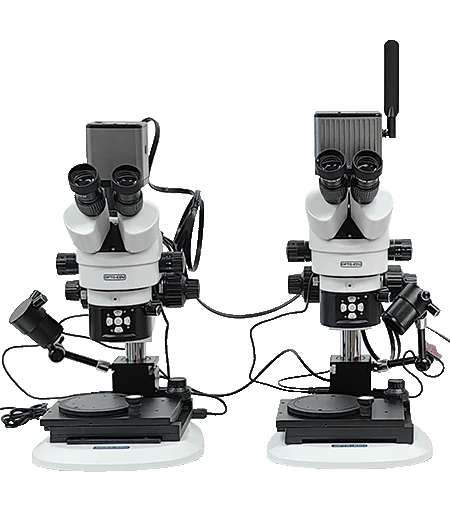
Control the light before comparing the image
The published A18.4903 description combines near-coaxial incident light, four-zone diffuse reflection lamps, and six-color oblique illumination. These are separate lighting arrangements to discuss around your sample and observation task. A glossy flat surface and a textured surface may call for different settings; include representative sample information when you ask about a configuration.
The four-zone lamp uses an LED ring. Its upper, lower, left, and right zones can be controlled separately. That gives the operator a way to change the direction of illumination during observation. Ask how the zones are selected and how the preferred lighting arrangement can be reproduced for your observation task.
The described centralized power arrangement supplies the lamps and cameras from a built-in outlet setup. Confirm the supplied components and power requirements for your destination before ordering.
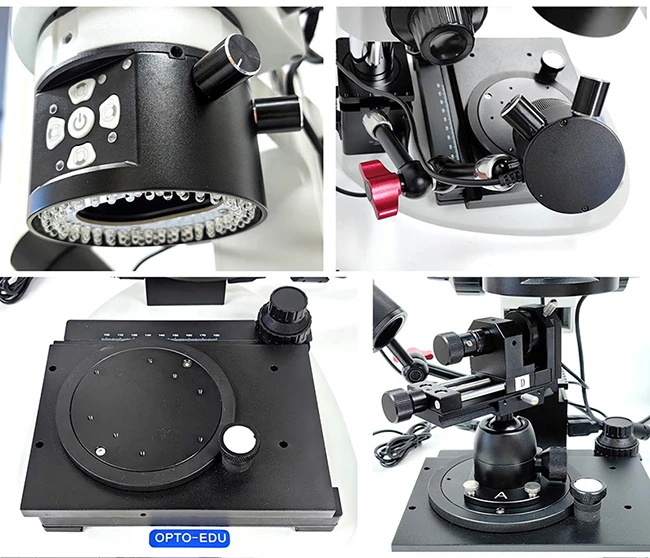
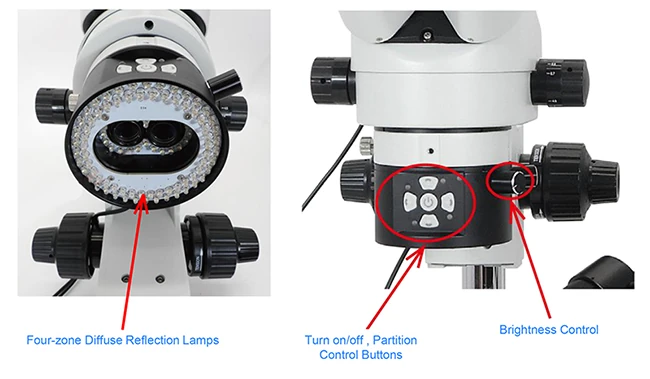
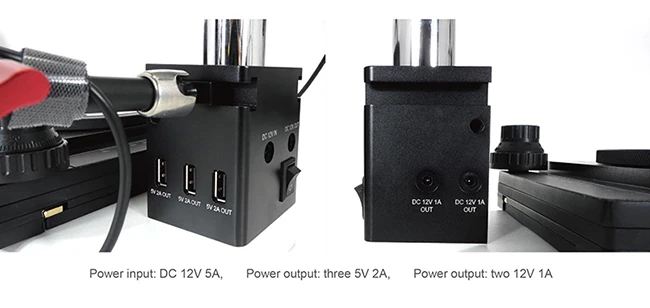
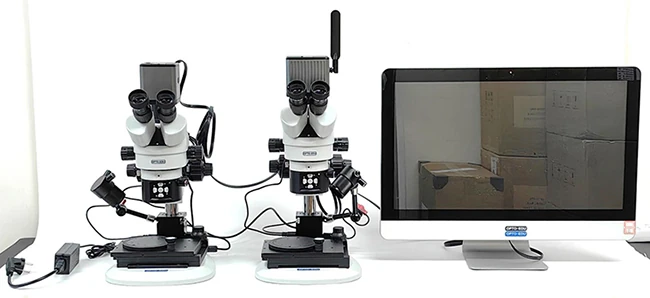
Documented configuration points
| Item | Published description |
|---|---|
| Model | A18.4903 |
| Product type | Digital Stereo Comparison Microscope |
| Illumination arrangements | Near-coaxial incident light; four-zone diffuse reflection lamps; six-color oblique illumination |
| Four-zone lamp control | Upper, lower, left, and right zones can be controlled separately |
| Image comparison | Overlap, cutting, and adjustable transparency are described |
| Image sources | Historical images and dynamic/static image comparison are described |
These points summarize the published model page. They are not a packing list. Ask for the current optical, camera, computer, and software specifications in the quotation.
Build the inquiry around your images
Start with the observation task. Are you comparing two live views, a live view with a saved image, or two saved images? The listed software supports historical-image comparison and dynamic/static comparison. State which workflow you need, and ask how it is implemented in the offered software version.
Next, describe the samples. Useful details include their material, dimensions, surface finish, and how they can be held. If lighting is central to the task, say which features need to remain visible. Share non-confidential example images if you can.
Finally, identify the deliverables. Ask which cameras, display, software license, cables, and sample holders are included. Keep optional accessories separate from the base system so quotations can be compared on the same basis. Include your destination and quantity so the quotation can set out the commercial terms alongside the equipment.
Review another configuration
Return to the A18 equipment directory to see the available model pages. If your inquiry calls for a microscope described with motorized movement and a touch-screen computer, review the A18.1832 model. Compare the lighting arrangements, image workflow, and controls against the job you need to complete.
A18.4903 questions
Is a magnification range confirmed on this page?
The product description reviewed here does not provide a complete optical specification table. Request the current magnification range, objectives, working distance, and camera details for the offered system. If you already use a particular magnification or working distance, include that requirement in your inquiry.
Can it compare saved images with a live view?
The published description includes historical-image comparison and dynamic/static image comparison. Ask OPTOEDU to confirm the workflow, file compatibility, and supplied software version against the images you intend to use.
What should an A18.4903 quotation include?
Request an itemized configuration covering the observation equipment, lighting, cameras, computer or display, software, and holders. Tell us the destination and quantity as well as the observation task. The final quotation should identify the selected components and commercial terms.
Discuss the A18.4903 configuration
Send the model number and a short description of your comparison task. Ask OPTOEDU for a configuration quote.
Reference: published A18.4903 product description.