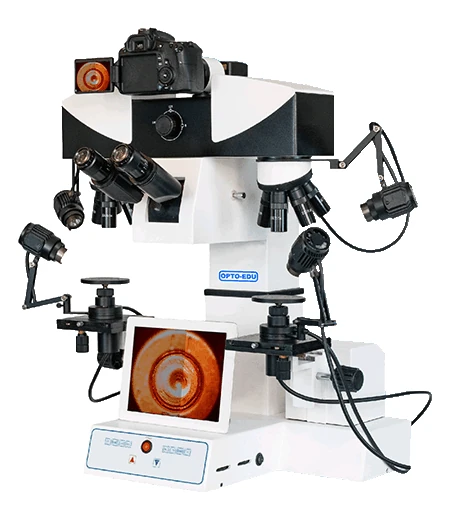
Review the movement and viewing controls
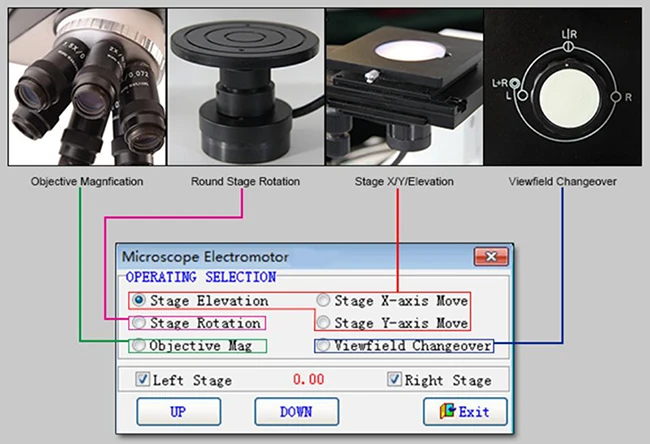
The published description lists a motorized six-position nosepiece, XYZ working-stage movement, stage rotation, and motorized column adjustment. It also identifies manual and motorized control options for objective magnification, stage movement, rotation, and view-field changeover. Ask which controls are included in the proposed configuration and where the operator accesses them.
Full, split, and overlapping images are the listed viewing modes. For a comparison task, state how you expect to switch between these modes and whether you need to save the views. The page describes an integrated analysis and control system, but software functions and output formats should be confirmed for the offered version.
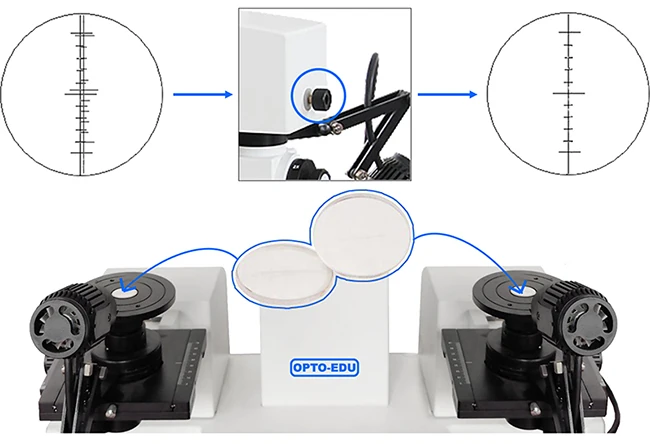
A magnification correction arrangement with correcting lenses is also described. Its published procedure uses scale images on the two stages and an adjustment knob to align the scales in overlapping mode. Ask how this adjustment is performed and what is supplied for setting it up.
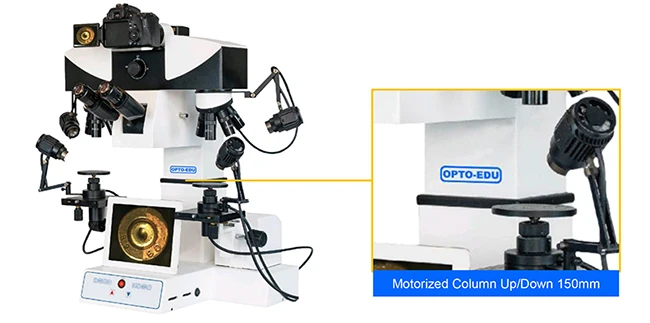
Published A18.1832 specifications
| Item | Published specification |
|---|---|
| Total magnification | 2x–240x |
| Binocular head tilt | 0–45° |
| Eyepieces | WF10x/22mm; WF20x/13mm |
| Nosepiece | Motorized, six positions |
| LWD infinity plan objectives | 0.5x, 1x, 1.5x, 2x, 4x, 6x |
| Auxiliary lenses | 4x; 2.0x |
| Working-stage movement | Motorized XYZ movement and rotation |
| Motorized column up/down adjustment | 150mm |
| Computer integration | Windows 11 touch-screen tablet with analysis and control system |
Confirm the selected objective and auxiliary-lens combinations, supplied computer, software version, and accessories in the quotation. The overall magnification range does not mean every lens combination is supplied or used at once.
Make the configuration explicit
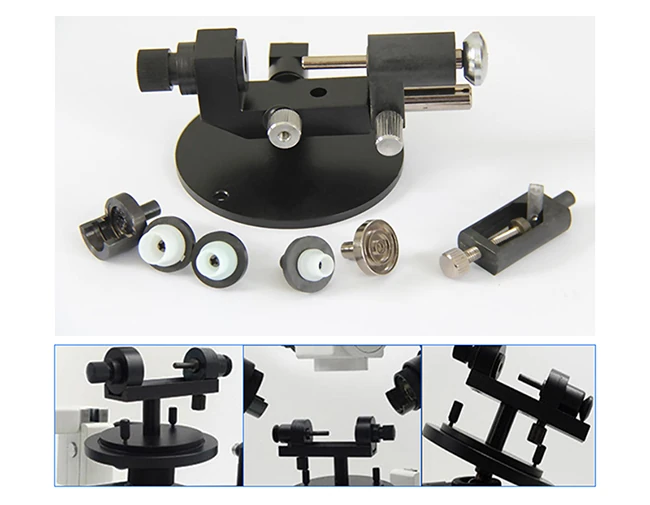
Before requesting a quote, describe the objects you want to position on the two stages. Include their dimensions and the features you need to view. If a holder is required, name the object and its handling requirements rather than relying on a photograph alone. The product page describes a bullet-holder set; its suitability and inclusion should be confirmed for your inquiry.
Tell us how the instrument will fit into your workspace. Note the preferred operator position, whether images need to be shared with colleagues, and whether an existing computer must be used. These questions help define what to check; they do not imply compatibility with equipment that has not been reviewed.
Ask for a written list of the microscope components, holders, tablet, software, and connection accessories. Request the current commercial terms for your destination and quantity. Availability, shipping time, and price require a quotation.
Compare the model listings
Browse the A18 equipment directory for the full set of model pages. For a different digital comparison arrangement with separately described lighting and image-comparison functions, see A18.4903. Compare the lighting, controls, computer arrangement, and image workflow shown in the written configurations.
A18.1832 questions
What magnification range is published for A18.1832?
The model page lists total magnification of 2x–240x. Ask which objectives, eyepieces, and auxiliary lenses produce the range in the configuration you are ordering. Include any separate resolution or measurement requirements in your inquiry so they can be discussed alongside magnification.
Which parts are described as motorized?
The published list includes the nosepiece, working-stage XYZ movement and rotation, column up/down adjustment, and separation-line movement. Ask for the control layout and supplied software details when confirming your configuration.
What should I ask about holders and image records?
Describe the object size and the views you need to capture. Ask which holders, camera components, image outputs, and software functions are included. If your laboratory uses a defined examination method, include its equipment requirements when discussing the configuration.
Ask about A18.1832
Send the model number, sample information, and the controls your workflow needs. Request the current A18.1832 configuration.
Reference: published A18.1832 product description.