Separate the motorized functions from the options
The working-stage movements are listed as XYZ/R. The same feature list marks the motorized nosepiece as optional. Keep that distinction in the inquiry: specify the required stage controls and ask separately whether objective changes should be motorized.
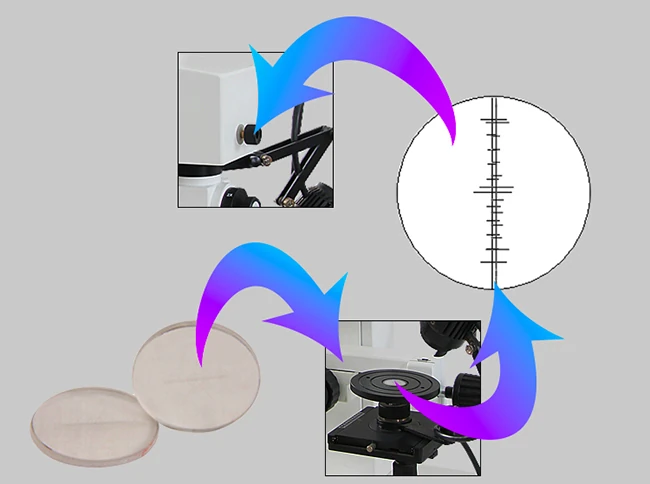
Left/right, split, and overlapping images are the described comparison views. Separation-line adjustment and a magnification correction system are also listed. Ask how the operator moves between views and performs the correction procedure in the proposed setup.
The page presents A30.1801 analysis software as a related offering and mentions digital cameras and LCD screens. If image recording is part of the purchase, ask for the exact camera, software, display, and computer to be identified in the quotation. The software description should be checked against the offered version and the image tasks you intend to perform.
Published model information
| Item | Published information |
|---|---|
| Model | A18.1830 |
| Total magnification | 2x–240x |
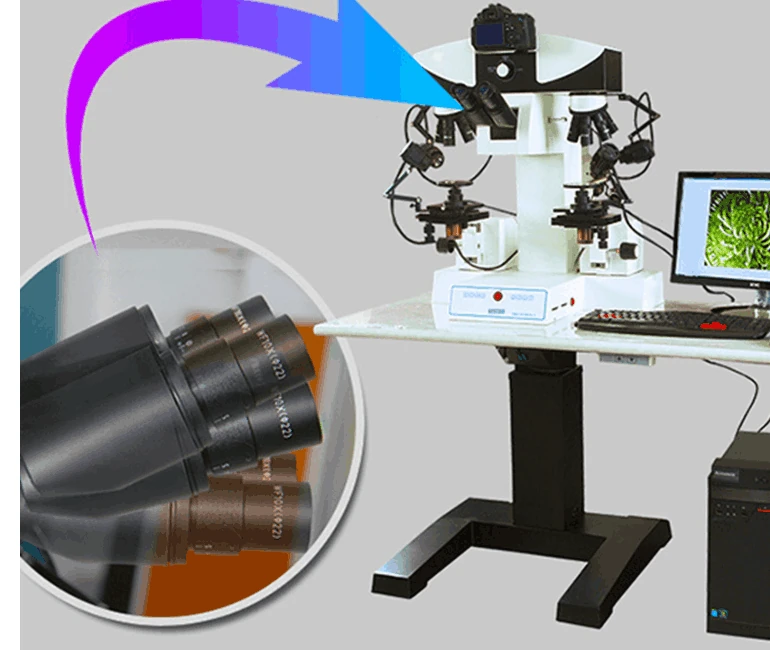
| Nosepiece | Six positions; motorized option listed |
| Working stage | Motorized XYZ movement and rotation |
| Separation line | Motorized movement listed |
| Comparison views | Left/right, split, overlapping |
| Light sources listed | Halogen 50W; LED 5W; polarizing; coaxial; UV |
| Correction | Magnification correction system with correcting lenses |
Confirm the selected lighting components, movement controls, and camera arrangement as part of the current configuration.
Define the workstation as well as the microscope
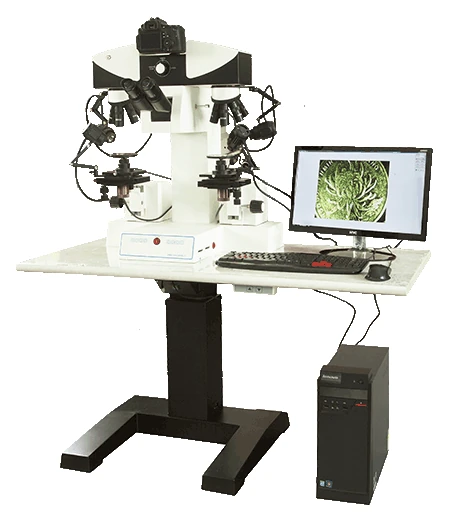
The directory image shows a workstation arrangement. For purchasing, ask how the supporting table, display, computer, and microscope are supplied. State the space available and the operator position you expect to use. Request the relevant dimensions and connection requirements for the proposed package.
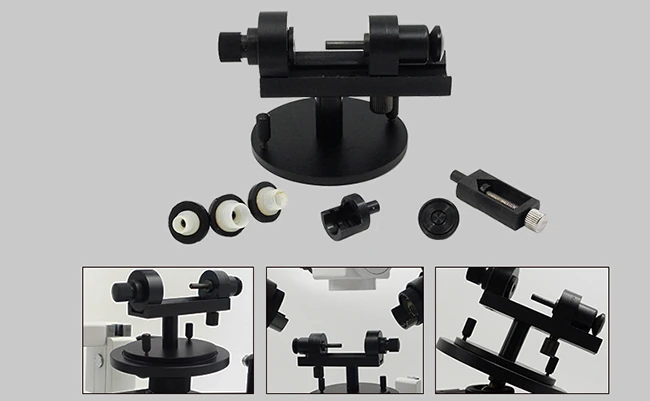
Describe the objects on both stages, including their size and the way they can be held. If rotation is part of the observation sequence, explain which surface or region must remain visible as the object moves. Ask which holders are included and which need to be selected separately.
For image records, list the views and file outputs your team needs. Request the camera and software specification, license terms, and itemized accessories together with the optical configuration. Add your delivery destination and quantity so the quote can address the commercial details.
Compare the control arrangements
Return to the A18 equipment directory to review the range. The A18.1829 motorized comparison microscope is another listing with its own stage and viewing-control details. Compare the supplied control functions and workspace arrangement for each model.
A18.1830 questions
Is the motorized nosepiece part of every A18.1830 configuration?
The published feature list calls it optional. State whether you need motorized objective changes and ask for that option to be shown as a separate quotation item. Confirm the base configuration at the same time.
What comparison views are described?
The source lists left/right, split, and overlapping images, together with separation-line adjustment. Ask how these views are selected and recorded with the proposed camera and software setup.
Should I request software with the microscope?
If you need image capture, analysis, or record output, include those tasks in your inquiry. The page discusses A30.1801 software and other digital accessories; ask which software and hardware items are actually included in the offer.
Request the current A18.1830 configuration
Send the model number, application requirements, and the components you need to include. Ask OPTOEDU for a configuration quote.
Reference: published A18.1830 product description.