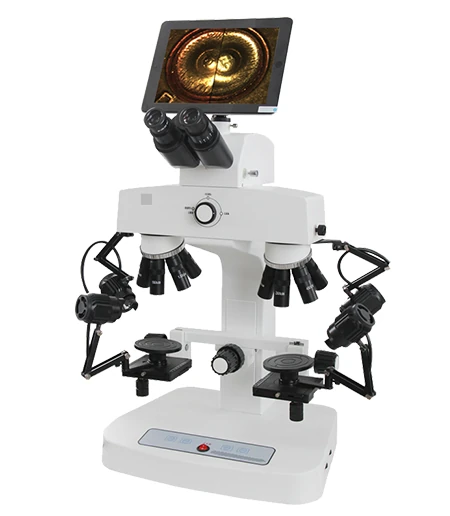
Review the binocular and display arrangement together
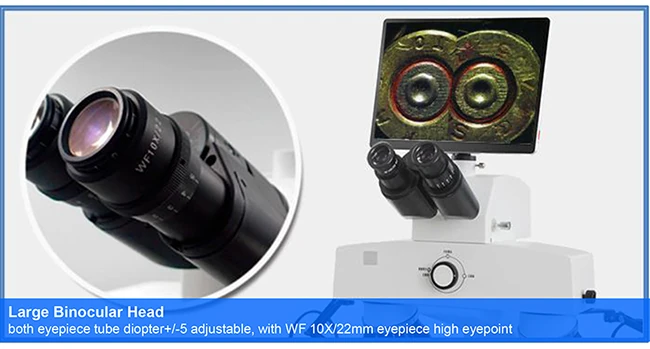
The detailed description lists WF10x/22mm high-eyepoint eyepieces and ±5 diopter adjustment on both eyepiece tubes. If operators will alternate between direct observation and the screen, explain how those two views will be used during the task.
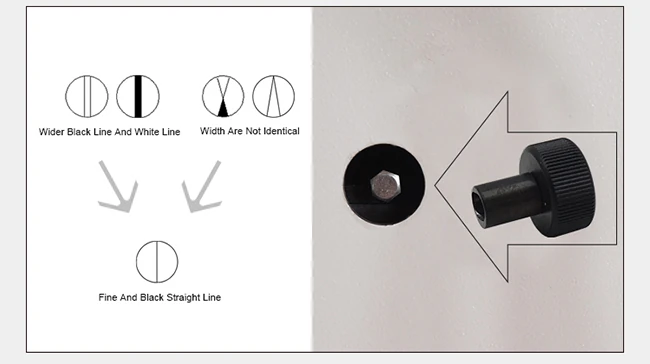
The feature list names separation-line adjustment and a magnification correction system. Ask how these are operated when setting up split and overlapping views. Include any repeatable setup procedure your laboratory expects to follow.
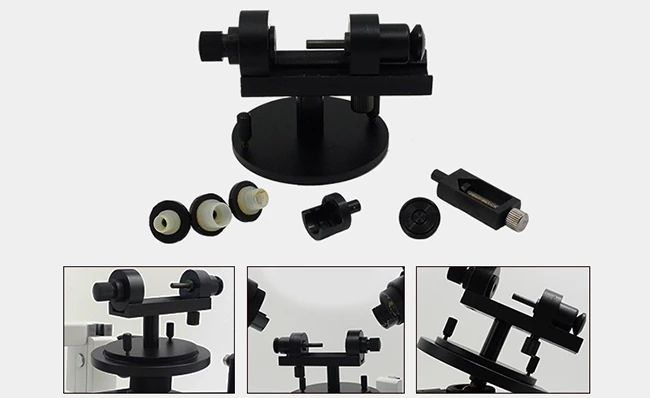
The listed light-source arrangements include halogen, LED, polarizing, coaxial, and ultraviolet illumination. A holder set is described separately. Match the lighting and holder requirements to the object rather than selecting every listed component by default. Ask which items are supplied and which require a separate choice.
Published model information
| Item | Published information |
|---|---|
| Model | A18.1828-LCD |
| Optical magnification | 2x–240x |
| Nosepiece | Six positions |
| Comparison views | Left/right, split, overlapping |
| Eyepieces | WF10x/22mm, high eyepoint |
| Eyepiece-tube diopters | Both adjustable, ±5 |
| Lighting listed | Halogen 50W; LED 5W; polarizing; coaxial; UV |
| Setup features | Separation-line adjustment and magnification correction system |
| Stage description | Square and round working stages with joint up/down movement |
Request the screen size, camera specification, and current accessory list for the LCD configuration being offered.
Specify what needs to appear on screen
Will one person observe through the eyepieces while others watch the display, or will the screen be the main working view? State that arrangement in the inquiry. Ask about screen placement, camera output, and image capture rather than assuming the display is also a computer or a touch interface.
Describe the objects on the two stages, including their size and how they can be held. If the observation requires a particular light direction or filter, include it in the checklist and request the available options. Ask for the working distance and stage clearance of the proposed optical configuration.
For purchasing, request the microscope, LCD/camera arrangement, lamps, filters, holders, and any software as separate line items. Add your destination and quantity so the offer can include the commercial terms for that equipment list.
Review the listing without the LCD designation
Return to the A18 equipment directory for the available model pages. The A18.1828 comparison microscope is a separate listing. Compare the camera and display inclusions explicitly when reviewing the two quotations.
A18.1828-LCD questions
What LCD screen size is confirmed here?
The reviewed model text does not give a screen-size specification. Request the current display size, camera output, and connection arrangement. Keep these fields in the quotation so the LCD configuration is clear.
What comparison views are listed?
The source lists left/right, split, and overlapping views. It also names separation-line adjustment and a magnification correction system. Ask how the operator selects the views and sets up the image alignment.
Which optical details should I confirm?
Ask for the supplied objectives, eyepieces, working distance, and magnification combinations. The page gives the overall optical range and binocular-head details; your quotation should identify the actual optical components selected for the task.
Request the current A18.1828-LCD configuration
Send the model number, application requirements, and the components you need to include. Ask OPTOEDU for a configuration quote.
Reference: published A18.1828-LCD product description.