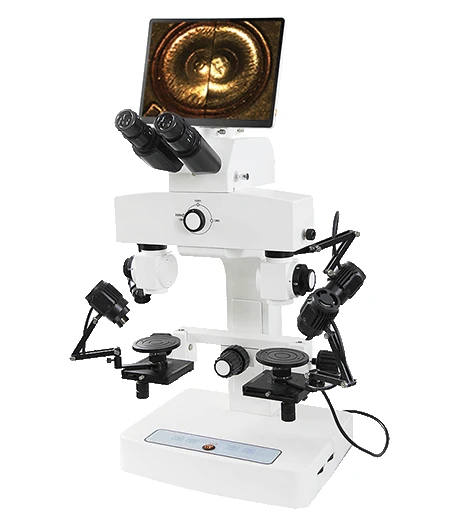
Define the display and camera connection
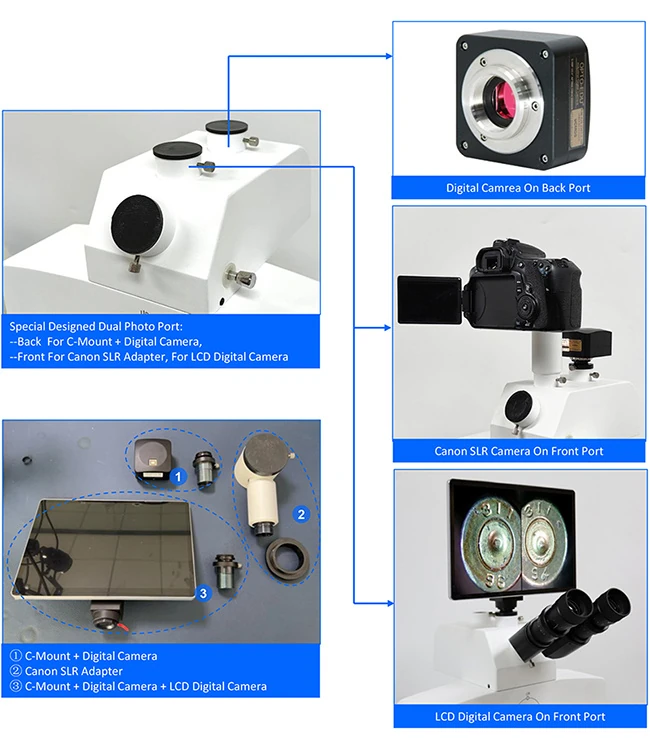
The detail page describes photo-adapter arrangements and shows different camera-connection examples. If you intend to connect an existing camera, provide its exact model and mount information. Ask which adapter is included and whether the LCD camera or another camera is selected for the offer.
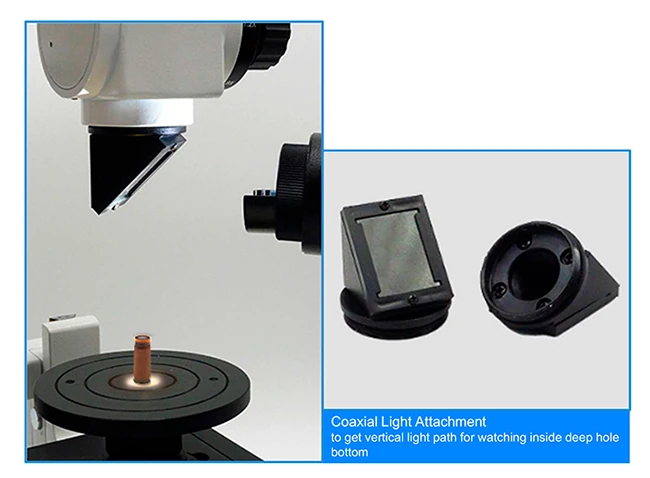
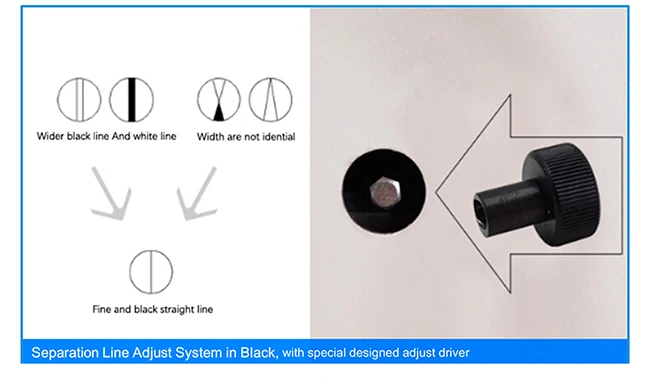
The page also identifies a coaxial-light attachment and a separation-line adjustment mechanism. These are useful items to discuss when positioning two views for comparison. State the features you need to view and ask how the optical and lighting setup will be configured around them.
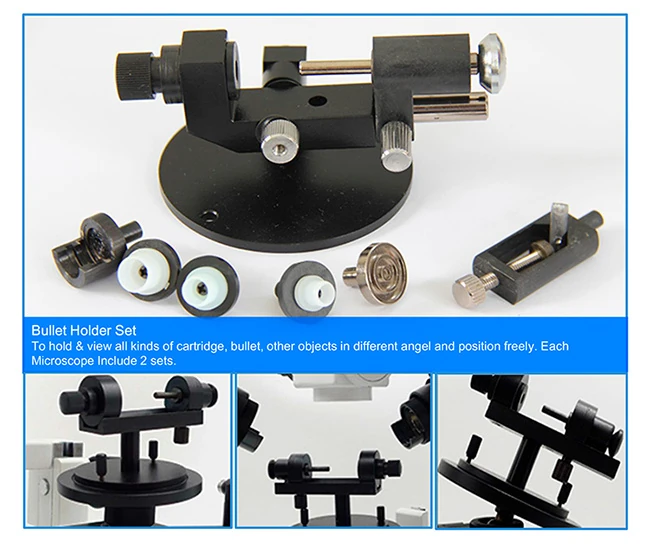
A holder set is documented for positioning objects. Specify dimensions and handling requirements so the selected holders can be checked. A photograph can help describe a component, but the quotation should still list the actual holder and adapter items supplied.
Published model information
| Item | Published information |
|---|---|
| Model | A18.1825-LCD |
| LCD digital-camera arrangement | 10.5 inches |
| Magnification range | 3.2x–230x |
| Zoom designation | Step zoom |
| Comparison views | Left/right, split, overlapping |
| Lighting listed | Halogen 50W; LED 5W; polarizing; coaxial; UV |
| Setup features | Separation-line adjustment and magnification correction |
| Stage description | Square and round working stages with joint up/down movement |
| Other described items | Photo adapters; coaxial attachment; holder set |
Confirm the chosen optics, camera, display, and accessories in the current offer.
Match the screen workflow to the equipment list
Decide how the display will be used before selecting accessories. Will an operator use the eyepieces while a colleague watches the screen? Does the image need to be recorded, transferred, or placed into a report? Include the required outputs and connection details in the inquiry.
For optical selection, state the sample dimensions and the region that needs to fit within the view. Ask for the objectives, eyepieces, working distance, and magnification combinations rather than relying only on the overall range. If a particular light source is essential, include that requirement explicitly.
Request an itemized offer covering the microscope, LCD camera, adapters, illumination, filters, holders, and any software. Keep optional choices visible. Your quantity and destination will help define the commercial terms for the selected package.
Review the non-LCD step-zoom listing
The A18 equipment directory brings the model pages together. For a separate step-zoom model with its own objective information, see A18.1825. Compare the optical combinations as well as the camera and display inclusions.
A18.1825-LCD questions
What screen arrangement is listed for A18.1825-LCD?
The feature list names a 10.5-inch LCD digital camera. Ask for the current camera specification, outputs, display arrangement, and supplied connections so the quotation identifies the complete digital configuration.
Can an existing digital camera be connected?
The page describes photo-adapter arrangements, but the correct connection depends on the camera. Send its model and mount details and ask for the selected adapter to be listed in the offer.
How should I compare this model with A18.1825?
Compare the objectives, eyepieces, magnification combinations, working distance, lighting, and holders, then review the digital items separately. Each model has its own published listing; ask for configuration sheets that show what the quoted equipment includes.
Request the current A18.1825-LCD configuration
Send the model number, application requirements, and the components you need to include. Ask OPTOEDU for a configuration quote.
Reference: published A18.1825-LCD product description.