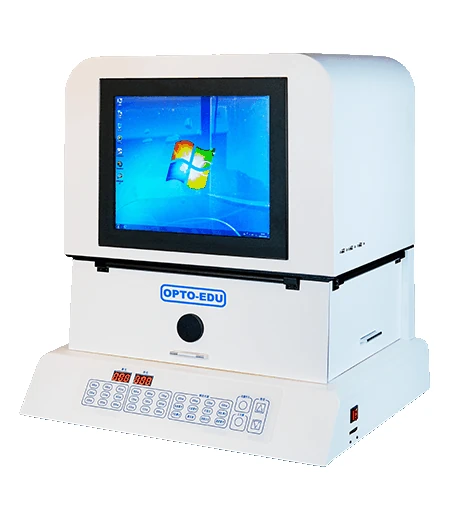
Explore the lighting around your examination task
The model description lists diffuse-reflection axial light, ultraviolet light, infrared light, and visible excitation and receiving light sources. It describes using light and filter combinations to observe differences in ink response. Other listed arrangements include grazing side light and bottom-up transmitted light for examining document surfaces and transmitted views.
If your laboratory follows a defined examination method, list the light bands, filters, and imaging outputs it requires. Ask which of these are included in the offered configuration and how the operator selects them. For larger or bound documents, describe the area you need to examine and how the document can be positioned.
The imaging section describes a USB 3.0 digital camera and full-HD video output. A pre-installed analysis software package is listed. Confirm the current software version, file outputs, and computer configuration before treating the system as compatible with an existing workflow.
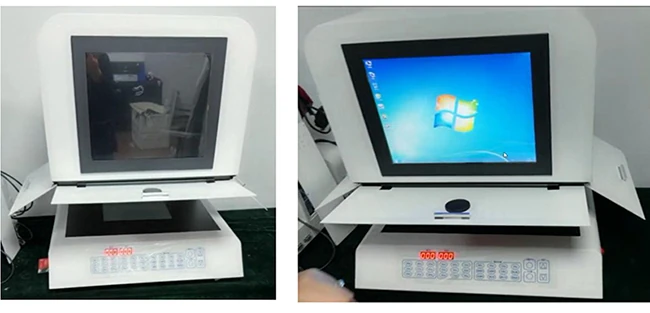
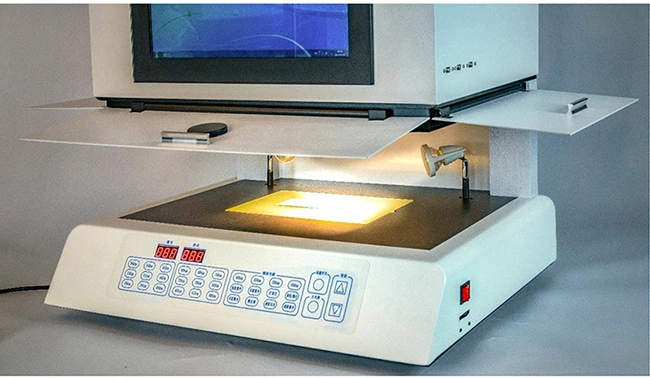
Published A18.1819 configuration
| Item | Published specification |
|---|---|
| Touch screen | 17 inches |
| Camera | USB 3.0; 1/2.8-inch, 2.0MP CMOS sensor |
| Optical zoom | 30x |
| Digital zoom | 12x |
| Field of view | 4.3–129mm |
| Video output | Up to 1080p at 60fps |
| Listed built-in computer | Windows 11; i5; 8G; 512G HD |
| Listed computer ports | One USB 3.0; two USB 2.0 |
| Document access | Openings in three directions |
The built-in computer listing and the camera's system-support statement are different points. Ask OPTOEDU to confirm the operating system and analysis software supplied with your unit. Photographs may illustrate a different screen appearance or configuration.
Specify the examination workflow
Begin with the documents themselves. State the largest document size, whether it is bound or loose, and how much of it needs to be visible in one view. The three-direction opening is a published feature, but the source does not provide a maximum document-size limit. Ask for the usable chamber and access dimensions rather than assuming a document will fit.
Then set out the required observations: reflected, transmitted, ultraviolet, infrared, or another documented mode. Include the filters or wavelengths required by your procedure as questions for confirmation. Request the available wavelength and filter details for each mode you need.
For image records, identify the file format, storage, and report requirements your team uses. Ask for the offered camera, computer, software license, accessories, and documentation as separate quotation items. Include any equipment checks or demonstrations your laboratory needs to complete before selecting a system.
Keep the equipment types separate
Browse the A18 equipment directory to review the model groupings. The A18.1818 document examination system is another document-examination listing to review. Compare its own specifications with A18.1819, rather than using the comparison-microscope listings as interchangeable alternatives.
A18.1819 questions
Is A18.1819 a two-stage comparison microscope?
It is listed as a questioned document examination system with an integrated imaging and lighting arrangement. Its position in the A18 directory does not make it the same equipment type as the two-stage comparison microscope models.
What lighting information should I include in an inquiry?
List the reflected, transmitted, ultraviolet, infrared, or visible-light observations your procedure calls for. Ask for the available light bands and filters, plus the controls used to select them. This gives the configuration discussion a clearer starting point than a general request for document analysis.
Which operating system is supplied?
The feature list names Windows 11 for the built-in computer, while the imaging section separately mentions Windows and Linux support. Ask for the exact supplied computer and software compatibility in writing. Do not infer the delivered operating system from a photographed screen.
Discuss your document examination requirements
Send the model number and the document sizes, observation modes, and record outputs you need. Ask OPTOEDU about A18.1819.
Reference: published A18.1819 product description.