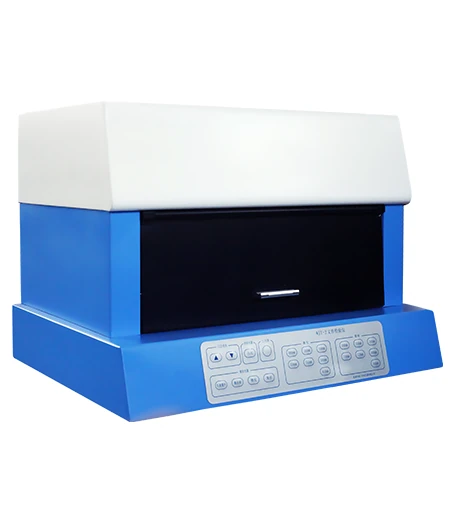
Review the light and filter combinations
The description lists seven excitation-filter bands and seven receiving-filter bands. The number of bands is a starting point; ask for the current band definitions and selection controls when discussing your method. Include the reflected and transmitted observations you need rather than requesting filters only by their count.
Motorized zoom is another listed feature. State the document area you want to see, from the overall region to the smaller feature of interest, then ask about field of view, working space, and image recording in the offered configuration.
The published feature list includes software and a laptop. Request their current specifications and connection arrangement. Ask which image formats and recording functions the supplied software supports, and identify any requirements for transferring images to your existing records.
Published model information
| Item | Published information |
|---|---|
| Model | A18.1818 |
| Product type | Questioned Document Examination System |
| Magnification | 1x–30x |
| Zoom control | Motorized |
| Illumination described | Transmitted and reflected light sources |
| Excitation filters | Seven bands listed |
| Receiving filters | Seven bands listed |
| Listed package items | Software and laptop |
| Packing description | Wooden packing |
Request the available wavelengths, current computer and software details, and itemized supplied components in the quotation.
Start with document size and record requirements
Describe the documents you examine, including dimensions and whether they are loose, folded, bound, or attached to another object. Ask for the usable examination space and access dimensions of the proposed system. The source does not supply a maximum document-size figure, so this is a useful field to request directly.
Next, identify the observation modes your team needs. If a procedure calls for a particular wavelength or filter pairing, list it as a requirement for confirmation. Include any image examples that can be shared without disclosing confidential document contents.
For purchasing, request the system, imaging components, software license, laptop, filters, accessories, and packing as separate items. Add your destination and quantity. Ask for the documentation needed to check the configuration before comparing price and delivery terms.
Review another document examination model
Return to the A18 equipment directory for the model groupings. The A18.1819 touch-screen document examination system has its own integrated computer and imaging description. Compare the computer arrangement, filters, document access, and image outputs for each model.
A18.1818 questions
What zoom range is published for A18.1818?
The model text lists 1x–30x magnification with motorized zoom control. Ask for the offered imaging configuration, field of view, and usable examination space to determine how that range fits your document task.
Are the seven filter bands identified by wavelength here?
The reviewed feature list states seven excitation and seven receiving bands without giving a complete band table. Request the available wavelengths and filter combinations for the current configuration, especially where your procedure specifies them.
Are software and a laptop listed?
Yes. The feature text includes software and a laptop. Request the current laptop specification, operating system, software version, image outputs, and supplied connections, and have those items named in the quotation.
Request the current A18.1818 configuration
Send the model number, application requirements, and the components you need to include. Ask OPTOEDU for a configuration quote.
Reference: published A18.1818 product description.